Thinking about another crate?
CHECK NOW
Read its current name, price, and any explanation shown before you buy.
NOT PUBLIC
Official public data does not state crate tiers, odds, or a best-value choice.
PROGRESSION · UPDATE-SAFE
This guide does not claim a hidden formula. It gives you a repeatable check for the parts of the five-action route that can change.
Compare the three checks ↓WHAT SHOULD I CHECK NEXT?
These cards tell you what evidence to use—and what no public source currently proves.
Read its current name, price, and any explanation shown before you buy.
Official public data does not state crate tiers, odds, or a best-value choice.
Read exactly what the live upgrade panel says it will change and what it costs.
The creator confirms upgrades but does not publish their target, multiplier, or priority.
Confirm the worker's effect and cost from the current screen before planning around it.
Workers are confirmed, but automation, offline income, and return timing are not.
THE FULL LOOP
Start with the first action named by the creator.
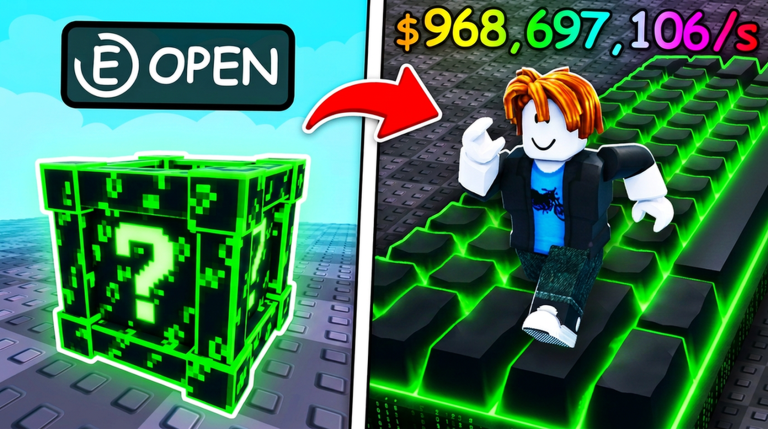
Open the crate and read the result on screen.
Find the collection upgrade the creator confirms exists.
Add the fourth confirmed part of the route.
Treat the published goal as your longer route.
COMMON ERRORS
These mistakes slow beginners down because they replace current information with assumptions.
Official public data does not provide crate prices or probabilities, and live values can change.
Read the crate screen in your current server before every purchase.
A purchasable worker is confirmed, but its function is not publicly explained.
Use the live worker description; do not plan around guessed automation or offline income.
Official thumbnails are useful visual references, not proof of current prices, income, or odds.
Treat only the interface in your active game session as current gameplay data.
Upgrade effects, worker costs, and leaderboard rules are not published in the description.
Pause at each new menu, read what it changes, and then choose your next action.
The description recommends free private servers for lag, while the public availability flag was disabled at the last check.
Check the live Roblox server options first. If the option is unavailable or lag remains, lower graphics quality or try another server.